
This is an old revision of the document!
Table of Contents
Wiki Quick Guide
How to Make A New Article?
To make a new Article you have 2 options:
- Go to your URL-bar and add the
Titlefor your article like thisekawiki2.yesss.fun/doku.php/wiki:Your-Title-Here - Create a link to a non-existing article in an existing entry (for example in the Table of Contents and then click it.
In both cases you will most likely see the following:
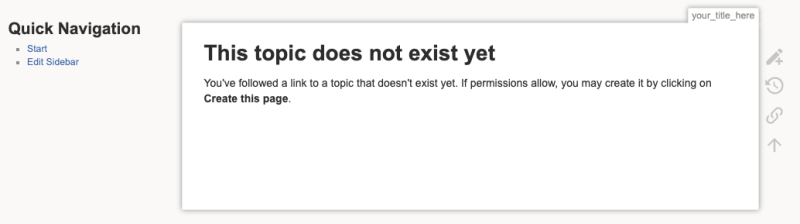
and if you click the little pen with the + symbol you should see this next to it:
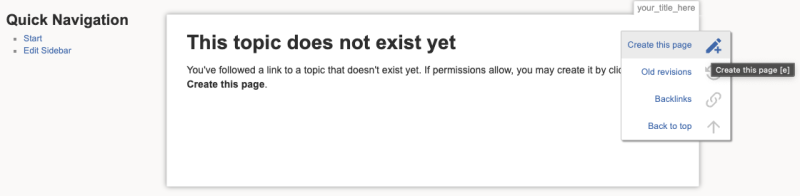
So if you click this then you can start editing your new article.
How to Format An Article?
For a complete guide on how to create / edit an article please consult the Doku Wiki Manual Section 3. Using Doku Wiki.
If this is too much you will find below a very short (and incomplete) version that will help you to get started.
Simple Article Editing
First of all – whether you edit an existing article or have created a new one – you will probably be confronted with with this text editing interface:
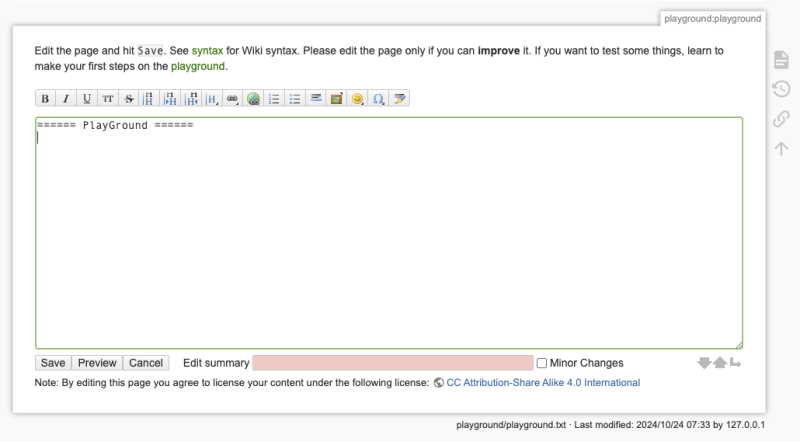 which is mostly pretty self explanatory.
If you want to play around and familiarize yourself with the styling options and functionality of this in a test environment you can do so on the Playground or just start figuring things out in your article.
Here you can find a easy explanation of what the buttons in the toolbar do.
And Here you can find a detailed explanation of all the syntax to style your text, create headlines, link images, add links and so on.